How to Build a Corporate Website: Planning, Pages and Launch Guide
A corporate website is built by planning goals, content, page structure, design, mobile-friendliness, speed, SEO and legal requirements together. A step-by-step guide from planning to launch and maintenance.
 Melis Ay ÜreğenSoftware Engineer17 min read
In Brief
To build a corporate website, you first define the goal and target audience, plan the page structure (home, about, services, clients, blog, contact), prepare the content, choose a domain and hosting, and decide on the platform and design. The site then goes live mobile-friendly, fast, SEO-ready and with the required legal texts (KVKK, cookies), and is maintained regularly.
- A site should rest on a clear goal, target audience and content plan before it rests on a nice design.
- Mobile compatibility, speed, trust elements and clear calls to action are the elements that help turn visitors into customers.
- Launch is a beginning, not the finish line; the site should keep improving through SEO, measurement, security and content updates.
Table of Contents
A company’s website is one of the places a potential customer may check. When someone hears a firm’s name through a recommendation, or searches for a service on a search engine, your website can become part of their decision process. A clear, fast, trustworthy site can move a customer one step forward; a site that is messy, outdated or broken on mobile can cost you customers.
In this article we walk through how to build a corporate website step by step: what a corporate site is, setting goals, page structure, preparing content, domain and hosting, platform options, design and user experience, mobile compatibility, speed, SEO, legal texts, security, the launch process, maintenance and measurement, AI-assisted site building, and common mistakes. Because technology changes quickly, double-check current tools and regulations.
What is a corporate website?
A corporate website is the official site of a company, institution or brand that presents its identity, services, products, client references and contact details online. Its purpose is not just “being on the internet” but making the company look trustworthy, explaining its services, collecting inquiries from potential customers and supporting the sales process. It differs from an e-commerce site in that it is usually focused on promotion, trust and contact rather than selling directly online; some corporate sites can also include e-commerce features (see our e-commerce site guide).
Why does a corporate website matter?
- Trust and reputation: A professional site shows that your business is serious and real.
- Promotion around the clock: It informs customers outside business hours too.
- Lead generation: It brings in new customers through forms, phone calls and quote requests.
- The hub of digital marketing: Ad, SEO and social media traffic all end up at the site (see our digital marketing guide).
- Control: You deliver your own message by your own rules, without depending on the rules of social media platforms.
- Measurability: Visitor behavior and conversions can be tracked.
Planning: Before you start the site
Goal and target audience
Every good site starts with a single question: “Why does this site exist?” The goal might be to receive quote requests, book appointments, showcase client work, provide information, collect job applications or make sales. The page structure, content and calls to action take shape around that goal. Define your target audience: Who will visit the site, what are they looking for, what questions do they arrive with, which devices do they use? For the analysis, see our target audience and competitor analysis guide.
Competitor and inspiration review
Look at competitors’ sites in your industry through a customer’s eyes: What information is there, what is missing, which sites inspire trust, which are confusing? The aim is not to copy but to see the standard and the opportunity.
Brand and message
The site is the brand’s most important visual and verbal touchpoint. The logo, colors, typeface and tone of voice should be consistent (see our corporate identity guide); your main message and value proposition should be clear (see our brand positioning guide). When a visitor lands on the home page, they should understand within the first few seconds: What does this business do, for whom, why is it right for me and what is the next step?
Budget, timeline and responsibilities
Who will build the site (in-house team, freelancer, agency)? Who will write the content and who will shoot the photos? Who approves? When is the launch date? Answering these questions up front keeps the project from dragging on. We explained what pricing depends on in our web design pricing guide.
Pages a corporate site should have
The answer to the searches “corporate website pages” and “what a corporate website should look like” is the site’s basic skeleton. It varies with your goal, but a typical structure looks like this:
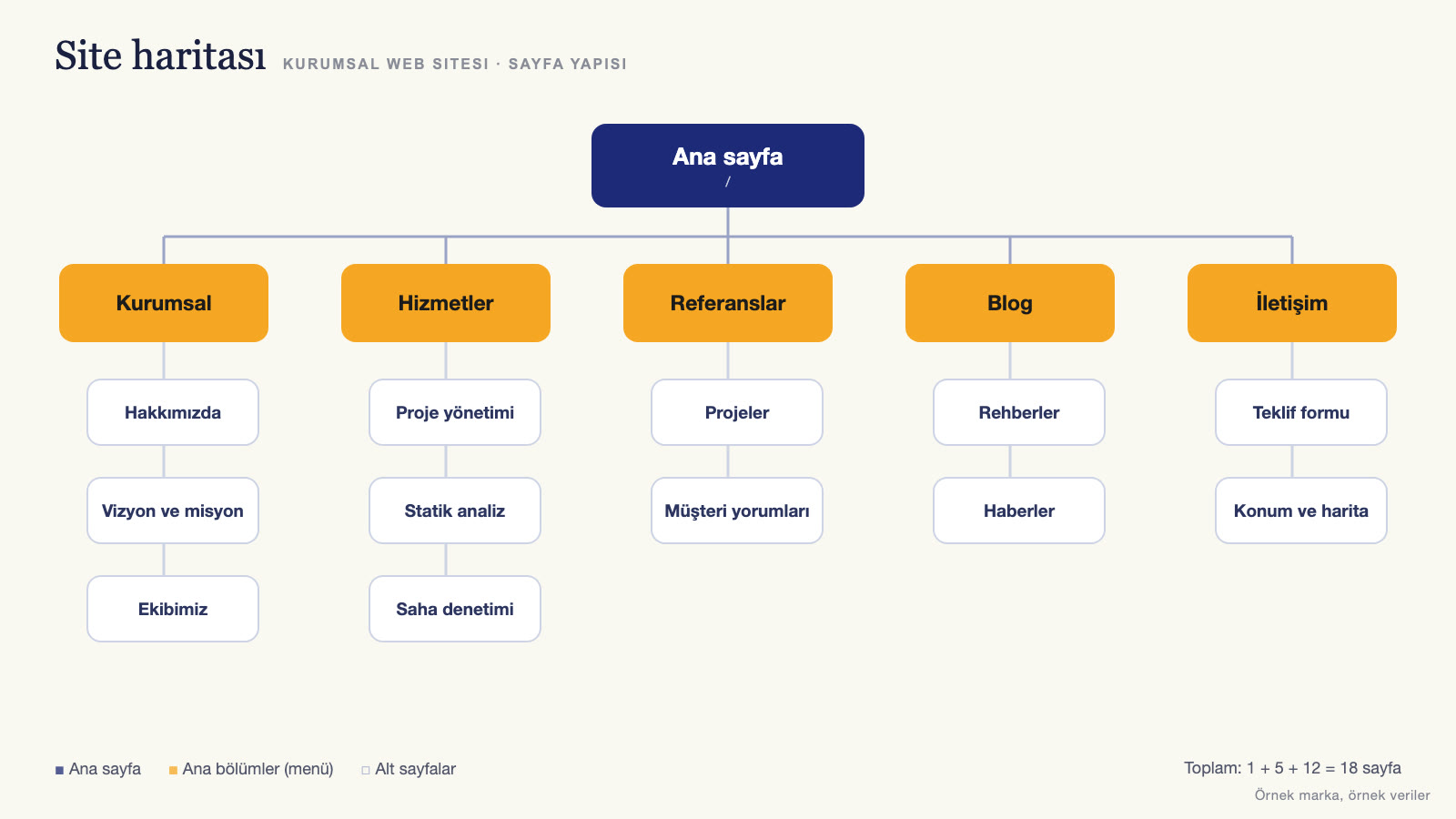
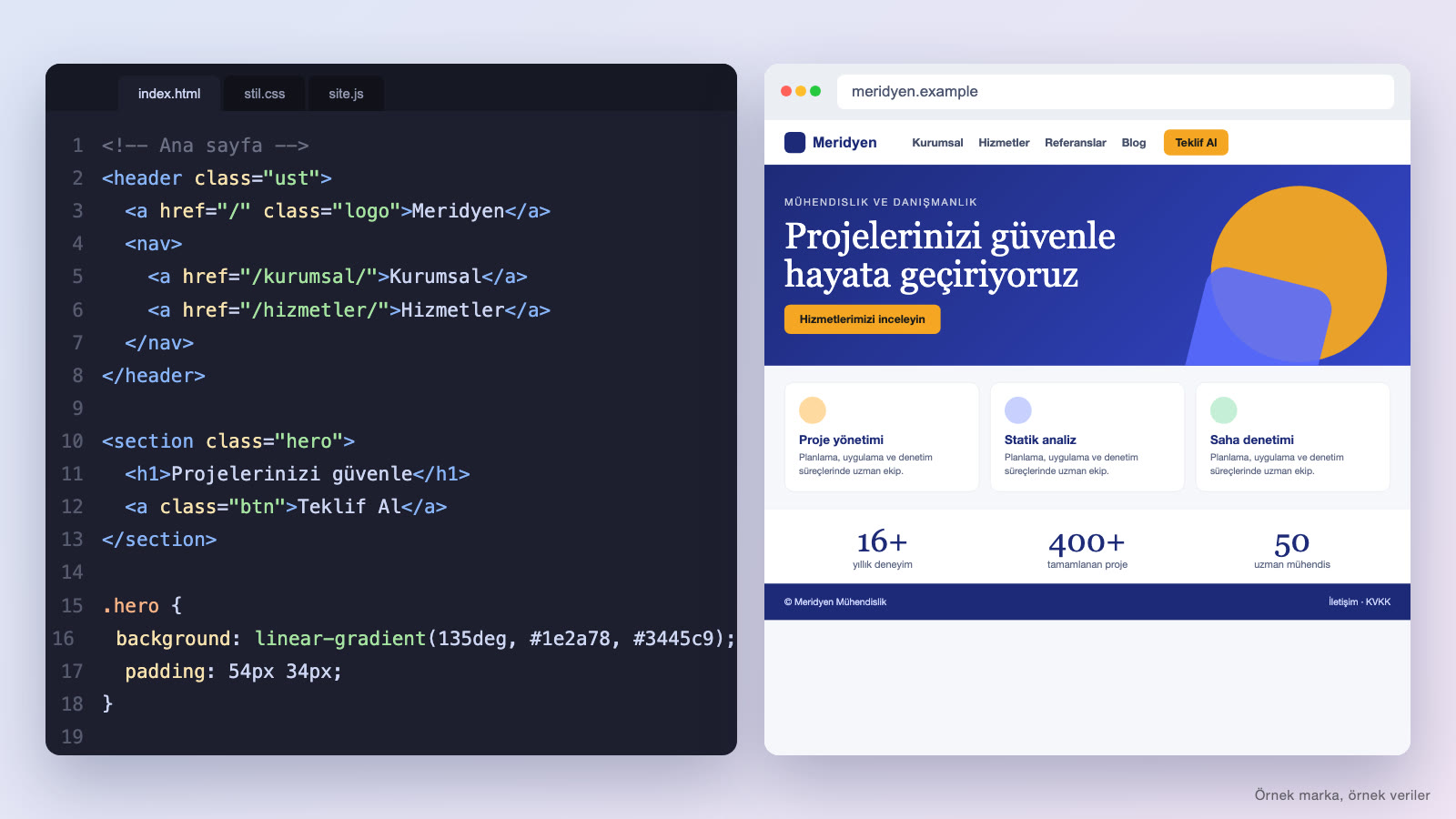
- Home: The site’s storefront. It should include a clear headline and subheading, a short value proposition, shortcuts to the main services, trust elements (client references, numbers, logos), a prominent call to action and contact details.
- About: The company’s story, values, team and areas of expertise; it builds trust. Showing a human face matters as much as corporate language.
- Services or products: A parent page that brings the services together, plus a separate detail page for each service. Explain what the service is, who it suits, the process, the results and frequently asked questions.
- Clients and work: Client logos, case studies, projects and testimonials; social proof can be one of the strongest parts of the decision process.
- Blog or news: Industry insights and guide content; useful for SEO and for showing expertise.
- Contact: Address, phone, email, map, working hours and a form. Offer more than one way to reach you.
- FAQ: An FAQ page can help resolve hesitations before a decision and reduce the support load.
- Careers (optional): Job listings and applications.
- Legal pages: Privacy policy and the privacy notice on personal data protection, cookie policy, terms of use; additional texts where required.
- Error and search pages: A 404 page that guides visitors when a page can’t be found and, if needed, on-site search.
How do you build a sitemap?
Draw the pages and the relationships between them on paper or in a simple diagram. Try to keep the main menu short (this is a suggestion, not a hard limit); visitors should be able to find what they are looking for in a few clicks. Group content logically (such as sub-services under services). Give every page a single purpose and lead the visitor to the next step.
Content preparation
Website projects can run late when the content isn’t ready. Plan the content before designing the site, because the design takes shape around the form of the content.
- Copy: Write in the visitor’s language and focus on benefits. Answer “what do we offer you?” before “who are we?” Use short paragraphs, clear headings and bullet points.
- Images: Where possible, use real photos of your team, office, products and projects; generic stock images can reduce trust. Professional photos and video can help raise the quality of the site (see our product photography and brand film guides).
- Client references and proof: Customer reviews, case studies, certificates, awards, numbers. Don’t use a client’s name or logo without permission.
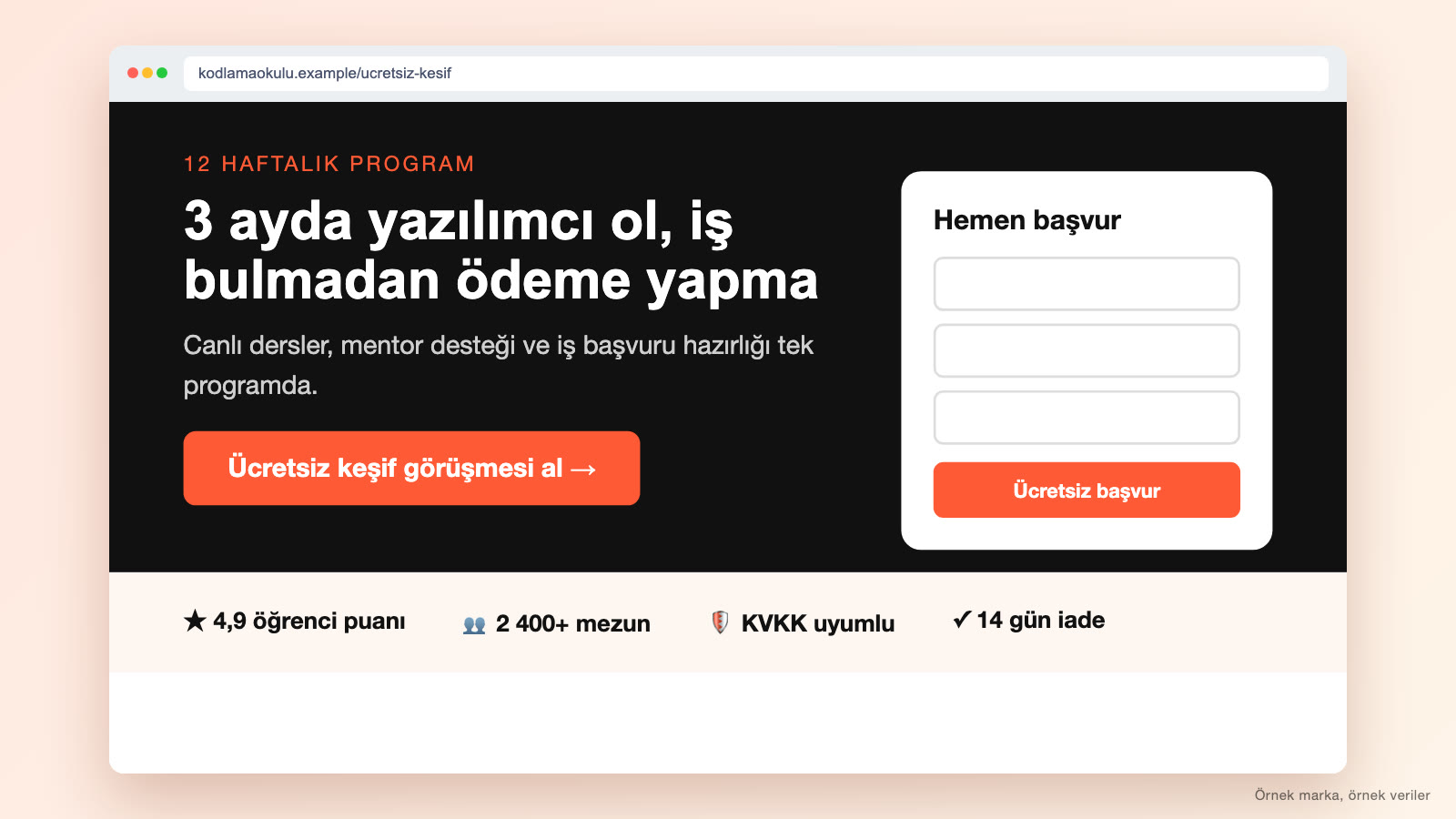
- Calls to action: A clear next step on every page: “Get a quote,” “Call us,” “Book an appointment.”
- Content for SEO: Page titles and copy built around the phrases your target audience searches for. See our SEO guide for details.
AI tools can help with drafts and ideas, but always check the content for accuracy, originality and brand voice (see AI content production).
Domain, hosting and email
- Domain: It should be short, memorable, consistent with the brand name and easy to type. Register the domain in the business’s name and with a business email address, and put the renewal date in your calendar. Also check the trademark status of your brand name (see our trademark registration guide).
- Hosting: The server space set aside for your site. Look at criteria such as speed, uptime, security, backups and, for visitors in Türkiye, location. With ready-made site services, ask whether hosting is included in the package.
- SSL (HTTPS): A secure connection; all pages should load over HTTPS.
- Business email: An email address tied to your domain, like info@ or name@, builds trust and credibility. For a professional look, an address on your own domain may be preferable to a free generic email address.
Platform options (how the site is built)
Website builders
These are services that let you build a site with drag and drop, without any coding knowledge. They can be a good choice for quick setup and low starting cost, but customization and scalability may be limited. They are worth considering for small businesses and a first site.
Content management systems (CMS)
A corporate site is built with themes and plugins on a ready-made, extensible platform. It can be flexible; maintenance such as hosting, security updates and backups is your responsibility. It can be a suitable choice for mid-sized corporate sites. For a sense of scale: WordPress is used by 58.2% of sites with a known content management system and by 39.5% of all sites (W3Techs, November 1, 2026). These shares change over time.
Custom development
These are sites built by writing code from scratch. They can offer more flexibility in design and function; the cost and development time can be higher too. They suit projects that need custom features (customer portals, integrations), heavy traffic or a strong brand experience.
Building a site with AI
AI-based site builders can quickly produce a draft site based on a few questions. This is useful for visualizing an idea fast or setting up a simple promotional page. There are things to watch out for, though: The generated content and design can feel generic; the tool doesn’t automatically know your brand’s strategy and positioning; SEO structure, accessibility, speed and security need to be checked by hand; and legal texts and accuracy remain a human responsibility. It therefore makes sense to use AI-assisted drafts together with professional editing and strategic content.
Selection criteria
- Budget and time: Fast and low-cost, or customized and long-term?
- Page count and complexity: A simple promotional site, or a multilingual, multi-section structure with integrations?
- Content management: Who will update the site and how often; should it be manageable without coding?
- Growth plan: Future needs such as e-commerce, memberships or adding a new language.
- SEO and speed capabilities.
- Security and maintenance responsibility.
- Portability: If you need to move to another platform, can you easily move your content and URLs?
Design and user experience
A beautiful design earns its value when it is functional and clear. These principles stand out in corporate site design:
- Clear hierarchy: The most important information in the most visible spot; headings, subheadings and buttons prioritized by size, color and position.
- White space and simplicity: Too many elements distract; a clean page with room to breathe builds trust.
- Readable typography: Fonts that are large enough, high in contrast and consistent.
- Consistent visual language: Colors, image style and components (buttons, cards) should be the same across the whole site.
- Easy navigation: A clear menu, visible search and contact, “back” paths and key links in the footer.
- Trust elements: Client references, certificates, contact details, real photos.
- Call to action: Buttons that are clear, relevant and consistent on every page.
- Accessibility: Sufficient color contrast, alt text on images, keyboard navigation, readable text size.
We cover design and user experience principles in detail in our UI/UX guide; for a conversion-focused page layout, see our landing page guide.
Mobile-friendly
Visitors reach your site from their phones too. A site that looks bad on mobile can lose customers; and because Google uses the mobile version of content for indexing and ranking (mobile-first indexing), a site with a weak mobile version can also run into trouble in search visibility (Google Search Central, mobile-first indexing). Responsive design lets the site adapt itself to the screen size.
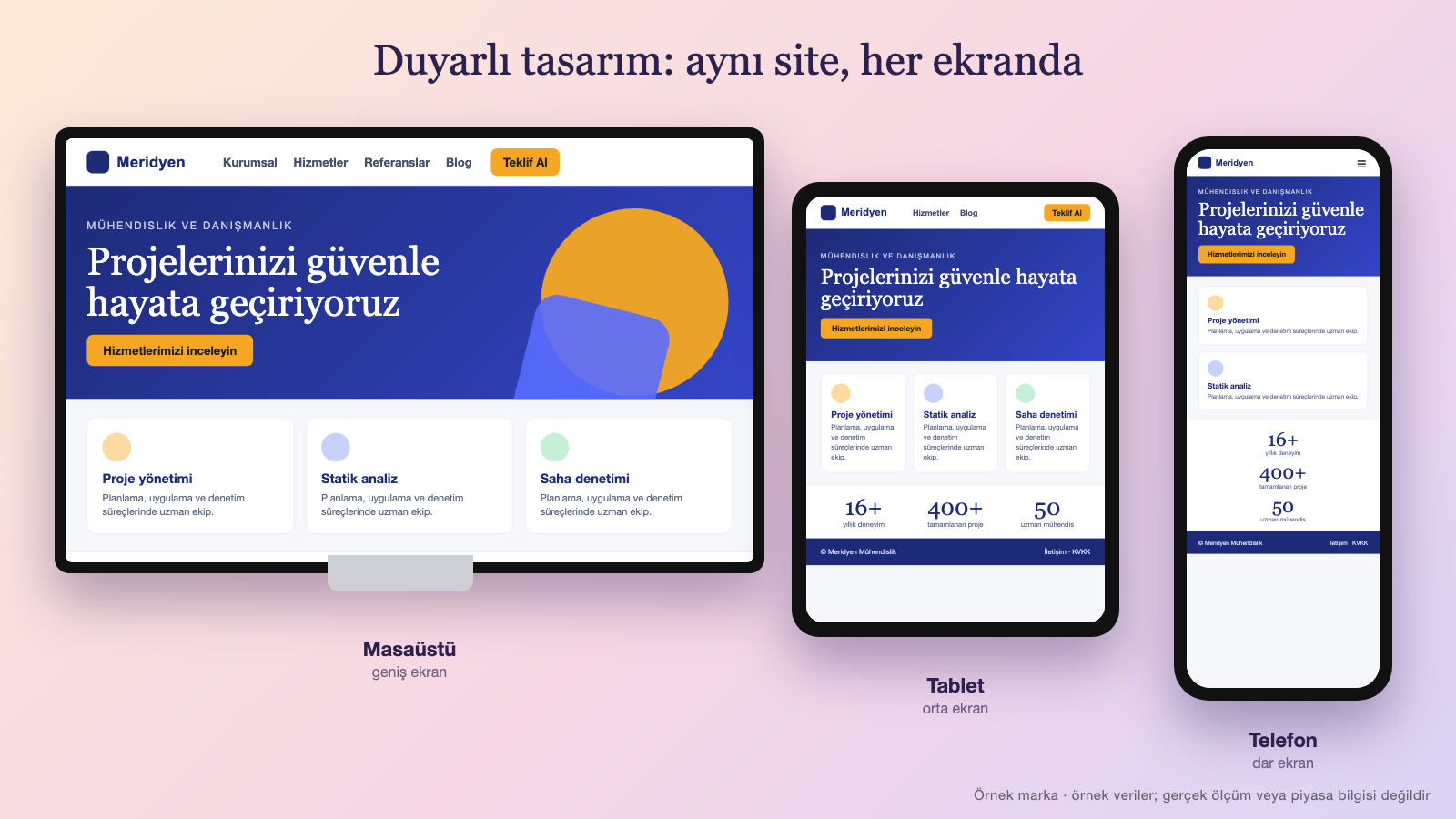
- Think mobile first: Decide on the most important information and action on the small screen first, then expand to the large screen.
- Touch-friendly buttons: Links and buttons that are large enough and spaced far enough apart.
- Readable text: Text size and line length that don’t require zooming.
- One-tap actions: Tapping a phone number starts a call; tapping an address opens the map.
- Simple menu: A clean menu on the phone (such as a dropdown) and shortcuts to key pages.
- Speed: On mobile connections, large images and heavy scripts slow things down; shrink images and cut unnecessary page weight.
- Try real devices: Test on different phones and browsers.
Speed and performance
A slow site can lose visitors; and Google uses Core Web Vitals, part of its page experience criteria, in its ranking systems, noting that page experience factors other than Core Web Vitals don’t directly push a page higher (Google Search Central, page experience). The thresholds Google considers “good” (for 75% of page loads): the largest content appearing within 2.5 seconds of the page starting to load (LCP), interaction response at 200 milliseconds or less (INP) and layout shift at 0.1 or less (CLS) (web.dev, Core Web Vitals). To improve speed:
- Upload images compressed to a suitable size and format.
- Cut unnecessary plugins, scripts and fonts.
- Use caching.
- Choose quality hosting and, if needed, a content delivery network.
- Make sure the screen doesn’t jump while the page loads (stable layout).
- Measure speed regularly; check the home page and key pages with free testing tools.
SEO and visibility
For the site to be findable in search engines when it goes live, apply the basic SEO steps from the start: a unique title and description for every page, a meaningful URL structure, a proper heading hierarchy (make each page’s main heading clear), alt text on images, internal links, a sitemap, speed and mobile compatibility, and structured data (business information). If you are a local business, set up your Google Business Profile and keep it consistent with your site information. When you rebuild a site, don’t forget to redirect old URLs to the new ones; without redirects, visitors and links arriving at the old URLs can’t reach the new pages. Google says permanent redirects such as 301 don’t cause a loss of PageRank and generally recommends keeping redirects in place for at least a year (Google Search Central, site moves).
Legal texts: KVKK, cookies and others
On corporate sites, legal requirements apply to every field that collects personal data (contact form, newsletter sign-up, quote form, careers form, cookies and analytics tools). The general framework:
- Privacy notice on personal data protection: Law No. 6698 (the Turkish Personal Data Protection Law, KVKK) requires that when personal data is collected, the person be informed about the identity of the data controller, the purpose of processing, to whom and why the data may be transferred, the collection method and legal basis, and the person’s rights (Law No. 6698, Art. 10).
- Privacy policy: A text explaining how data is processed and protected; your business determines its scope.
- Cookie policy and preference panel: Which cookies are used on the site, their purpose and the user’s ability to choose. According to the cookie guide from Türkiye’s Personal Data Protection Authority (KVKK), cookies used for behavioral advertising require explicit consent; if no other data processing condition can be relied on, processing must rest on explicit consent (KVKK, Guide on Cookie Practices). Clarify with your legal counsel which cookie falls into which category.
- Form consents: A link to the relevant text under the form and, where required, explicit consent checkboxes.
- Commercial message consent: Separate permission and a right to opt out for email and message marketing. Law No. 6563 (the Turkish E-Commerce Law) states that commercial electronic messages can be sent to recipients only with prior approval; tradespeople and merchants can be sent messages without approval (Law No. 6563, Art. 6).
- Company information: If contracts are concluded electronically through your site, Law No. 6563 requires the service provider to present identifying information in a form recipients can easily access and keep it up to date (Law No. 6563, Art. 3); determine with your legal counsel which information is required.
The content and scope of these texts vary by business and the legislation is updated; having legal counsel prepare or review them is the safest route. Avoid copying ready-made texts and using them without adapting them.
Do you need a multilingual site?
A multilingual site is valuable for businesses serving customers abroad, tourists or foreign business partners. In that case, translating the text alone is not enough: Page URLs and titles should be separate in each language, a language selector menu should be visible, search engines should be told which page is in which language (Google describes hreflang markup for this: Google Search Central, multilingual pages), local payment and contact options should be added, and translations should be reviewed by a native speaker. Automatic translations are useful as a starting draft, but they should be corrected before launch; a faulty translation damages trust quickly. Keeping content current in several languages takes extra effort, so starting with only the languages you truly need and expanding later is a sustainable path.
Working with a developer or agency
If you are having the site built by an agency or a freelance team, manage the process with these principles: Put the scope, page count, included revisions, delivery dates and price into a written contract; make sure the domain, hosting and admin panel are owned by the business; clarify the usage rights to the design and source files, the content and the code; check the licenses of the themes and plugins used and ask about renewal costs; define the scope and duration of post-launch maintenance, security and support; and ask for training and a short user guide so you can update the site yourself. For choosing an agency, you can use the criteria in our agency guide.
Security and backups
- HTTPS and up-to-date software: Keep the system, themes and plugins up to date; remove unused plugins.
- Strong passwords and two-step verification: These should be mandatory for admin accounts.
- Permission management: Don’t give everyone admin rights; remove access for people who leave.
- Regular backups: Automatic backups of the site and database; keep backups in a separate location and test restoring them.
- Security monitoring: Scanning for suspicious logins and malware.
- Form protection: Protection against spam and automated submissions.
The launch process
- Content and design approval: All pages, copy and images get a final review.
- Testing: Across different browsers, devices and screen sizes; form, link and menu functions; typos; speed.
- SEO check: Titles, descriptions, redirects, sitemap, robots settings (you may have hidden the test site from search engines; open it up before launch).
- Check the legal texts and cookie panel.
- Measurement setup: Analytics, conversion tracking and search console.
- Go-live: Point the domain to the new site; run an immediate check after launch.
- Announcement: Announce the new site to customers, on social media and in email signatures.
After launch: Maintenance, measurement and improvement
The work doesn’t end when the site goes live; the site needs regular attention to keep creating value:
- Content updates: Outdated information, prices, team and project content should be updated regularly; the blog and client references should grow over time.
- Measurement: Track visitor numbers, sources, most-viewed pages, conversion rate and pages people abandon.
- Improvement: Use the data to improve page titles, calls to action and forms; run small tests (A/B tests).
- Technical maintenance: Updates, security, backups, speed checks and broken-link scans.
- Call-to-action follow-through: Make sure form and phone requests are actually answered and followed up quickly.
To convert the traffic coming to your site, you can also prepare dedicated campaign pages; see our landing page guide for that.
Common mistakes
- A site with no goal: Not deciding what the site is for.
- Leaving content to the end: The content isn’t ready when the design is done, and the project drags on.
- Talking in your own language: Copy that describes only the company instead of the visitor’s problem.
- Neglecting mobile.
- A slow, heavy site: Large images, unnecessary plugins.
- No clear call to action: The visitor doesn’t know what to do.
- Weakening trust with stock images and generic copy.
- Forgetting SEO: Not thinking about titles, descriptions and structure from the start.
- Skipping legal texts: Missing the required notices for forms and cookies.
- Abandoning the site after launch: A site that is never updated, poorly maintained and weak on security.
- Leaving ownership with the agency: Domain, hosting and admin access not held in the business’s name.
Example scenario: A law firm
A mid-sized law firm has an old site, built a few years ago, that is broken on mobile. Most new clients come by referral; the firm also wants to reach the right people through online searches and present a professional image.
Planning: Goal: receive a set number of intro call requests per month from online searches. Target audience: individual clients and small businesses. The firm’s practice areas (employment law, commercial law, family law, real estate) are split into separate service pages. Message: “Plain language, clear process, open communication.”
Page structure: Home, about and team, practice areas (a separate page for each), process (“from the first meeting to the end of the case”), FAQ, blog, contact, legal texts. Each service page has a short introduction, when to seek help, process steps, frequently asked questions and a “request an intro call” call to action. The content is also checked for compliance with the advertising rules of the professional body the firm belongs to.
Design and technical: A clean, trust-building design and team photos are used; the phone number and map open with one tap. The site launches fast, mobile-friendly and on HTTPS. The contact form includes a privacy notice and a consent checkbox, and a cookie preference panel is set up. The old site’s pages are redirected to the new ones.
Launch and after: The Google Business Profile is updated, and analytics and form tracking are set up. Each month, form and call requests, the most-read pages and search terms are reviewed, and guide articles answering frequently asked legal questions are added.
In this scenario the site works not as a mere brochure but as a business tool that builds trust, can be found, is measured and keeps improving.
Corporate website checklist
- Have the site’s goal and target audience been written down?
- Have competitor and inspiration sites been reviewed?
- Have the sitemap and page structure been planned?
- Are the copy, images and client references ready?
- Are the domain, hosting, SSL and business email in place, and is ownership in the business’s name?
- Does the platform choice fit the growth plan?
- Is the design consistent with the brand identity, readable and accessible?
- Have all pages been tested on mobile and desktop?
- Has page speed been measured and improved?
- Does every page have a unique title and description and a clear call to action?
- Are the KVKK privacy notice, privacy policy, cookie texts and form consents ready?
- Is there a backup, security and update plan?
- Have analytics and conversion tracking been set up?
- Have post-launch maintenance and the content calendar been planned?
If you want your corporate website built with strategy, design, content, SEO and measurement together, take a look at our web and software services.
Mini glossary: Website terms
- Domain: Your site’s address on the internet.
- Hosting: The server space where the site’s files are stored and served.
- SSL / HTTPS: The security layer that encrypts the connection between the site and the visitor.
- CMS: Content management system; the platform that lets you edit content without coding.
- Responsive design: Design that adapts to different screen sizes.
- Wireframe: A draft that shows only a page’s layout, without content.
- CTA (call to action): A button or phrase that leads the visitor to take an action.
- Conversion: The visitor taking the targeted action (a form, a call, a purchase).
- 404 page: The error page shown for an address that can’t be found.
- KVKK: The Turkish personal data protection legislation (Personal Data Protection Law).
Frequently asked questions
How do you build a corporate website?
First you define the goal and target audience, plan the page structure and content, choose the domain and hosting, decide on the platform and design, make the site mobile-friendly, fast and SEO-ready, add the legal texts, and then test, launch and maintain it regularly.
Which pages should a corporate website have?
Home, about, services or products, clients and work, blog, contact, FAQ and legal pages (privacy policy, privacy notice, cookies) are the core pages. Careers and other pages can be added depending on your goal.
Should I build the website myself or have it built?
For a small, simple promotional site, you can start on your own with website builders. For a site focused on brand identity, SEO, mobile compatibility, speed, security and conversion, you may want to consider professional support.
How long does it take to build a corporate website?
It depends on the scope, the number of pages and whether the content is ready. Content preparation and approval processes affect the timeline most. If planning and content are prepared in advance, it can take less time.
Are KVKK and cookie texts required for a website?
If you collect personal data (forms, newsletters, cookies, analytics tools), you need a privacy notice, a privacy policy and a cookie notice, along with the necessary consent mechanisms. Get support from legal counsel for current obligations.
Is building a website with AI enough?
A quick draft can be created with AI, but brand strategy, original content, SEO structure, speed, security and legal compliance must be checked by a person.
Conclusion
A corporate website is one of a business’s hubs in the digital world. When a clear goal and target audience, a planned page structure, strong and original content, a clean design that fits the brand identity, mobile compatibility and speed, SEO basics, legal texts, security and regular maintenance work together, the site can turn from a brochure into a business tool that is measured and improved. We recommend managing the site as an ongoing process rather than finishing it as a one-off project.
This article was prepared with AI support. The images in the article are sample screens drawn with code; they don’t show a real client, person, place or data.
Related work
A few examples of Media Fish’s work on this topic:
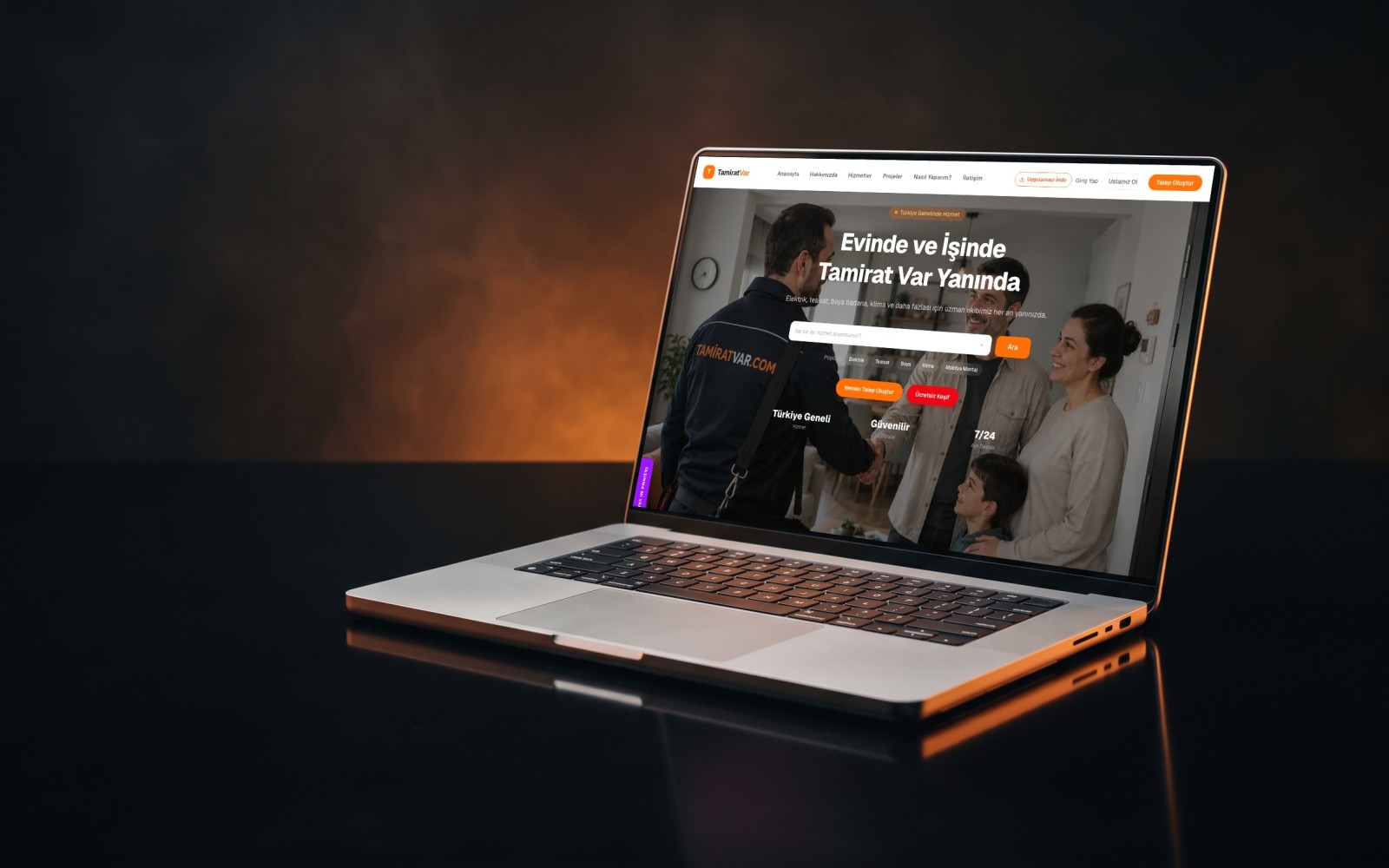

E-Commerce Site + SEO + SEM
Design · Software · Publishing
Corporate Website + SEO
Design · Software · Publishing

E-Commerce Site + SEO + GEO
Design · Software · Publishing
Software Engineer, Media Fish. Writes on our blog about web and software, mobile apps, artificial intelligence and search engine optimization (SEO).